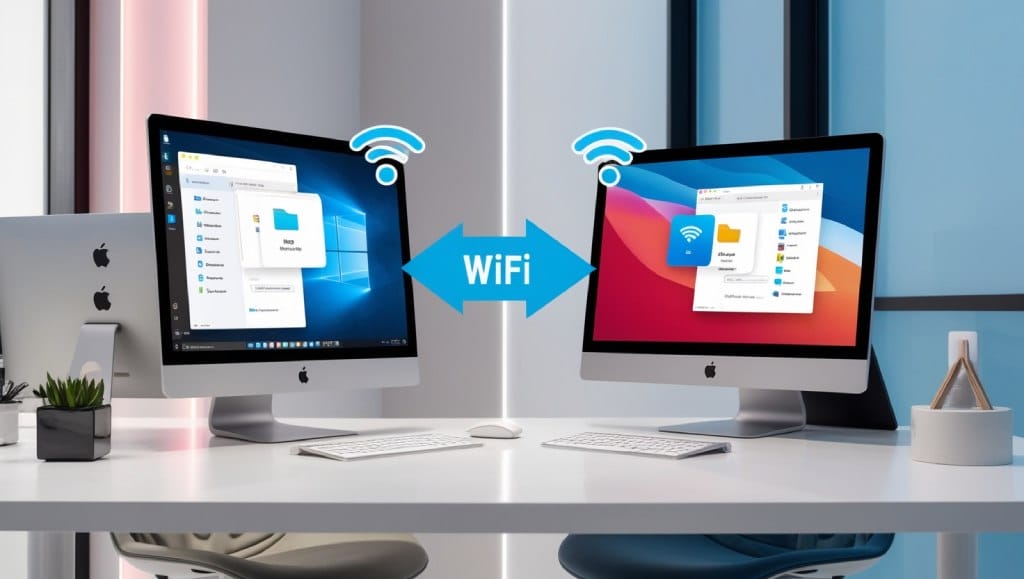

In today’s fast-paced digital world, hardware maintenance plays a critical role in ensuring the longevity and optimal performance of your tech devices. Whether you’re a beginner or an experienced user, a tech tutorial on hardware maintenance can empower you to keep your computer systems, servers, and other hardware components running smoothly. Regular maintenance not only prevents unexpected failures but also improves efficiency, reduces energy consumption, and extends the lifespan of your equipment. This tech tutorial on hardware maintenance will guide you through the essential steps and best practices to keep your hardware in top condition, helping you avoid costly repairs and downtime. Section 1: Understanding the Basics of Hardware Maintenance Before diving into specific maintenance tasks, it’s important to understand what hardware maintenance entails and why it matters. Hardware maintenance refers to the process of inspecting, cleaning, and repairing physical components of a computer or other electronic devices. Unlike software updates, which are often quick and effortless, hardware maintenance requires a deeper level of engagement, including physical access to internal parts and the use of specialized tools. What is Hardware Maintenance? Hardware maintenance involves the upkeep of both internal and external components of a device. This includes everything from CPU fans and hard drives to motherboards and power supplies. It’s not just about fixing broken parts but also about preventing wear and tear through routine checks and optimizations. For instance, regular cleaning of dust buildup can prevent overheating, which is a common cause of hardware failure. Why is Hardware Maintenance Important? Ignoring hardware maintenance can lead to serious issues, such as system crashes, data loss, and reduced performance. Over time, components like cooling systems, power supplies, and storage devices degrade due to continuous use. By performing routine maintenance, you can identify potential problems early, minimize the risk of catastrophic failures, and ensure your devices operate at peak efficiency. Tools and Materials for Hardware Maintenance To carry out effective hardware maintenance, you’ll need a few basic tools. These include screwdrivers (both Phillips and flathead), compressed air cans for cleaning, anti-static wrist straps to prevent electrostatic discharge, and thermal paste for reapplying heat dissipation. Additionally, having a clean workspace and backup tools like a multimeter or cable organizers can streamline the process. Section 2: Cleaning and Dust Removal One of the most critical aspects of hardware maintenance is cleaning. Dust accumulation is a silent killer for electronic devices, as it can block airflow, cause overheating, and even lead to short circuits. This tech tutorial on hardware maintenance emphasizes the importance of regular cleaning to maintain the health of your hardware. Step-by-Step Guide to Cleaning Your Hardware Start by powering off your device and unplugging all cables. Next, open the case using a screwdriver and use compressed air to blow out dust from the fan blades, heat sinks, and motherboard slots. For stubborn grime, you can gently wipe components with a soft, lint-free cloth. Don’t forget to clean the power supply unit (PSU) and cooling vents, as these are common dust traps. Best Practices for Dust Removal When cleaning your hardware, always work in a well-lit area and ensure the device is fully discharged. Use anti-static wrist straps to avoid damaging sensitive components with static electricity. Additionally, avoid using liquid cleaners directly on circuits—instead, opt for isopropyl alcohol wipes for non-electrical parts. Regular cleaning should be done every 3-6 months, depending on the environment. The Impact of Clean Hardware on Performance A clean hardware system not only prevents overheating but also improves airflow efficiency, which can enhance cooling performance. This is especially important for high-performance devices like gaming rigs or servers. For example, a dusty CPU fan may spin slower, leading to increased temperatures and potential hardware damage. By incorporating cleaning into your tech tutorial on hardware maintenance, you’ll create a more reliable and efficient system. Advanced Cleaning Techniques For more thorough cleaning, consider using a soft brush or a vacuum with a brush attachment to remove dust from hard-to-reach areas. If you’re working with internal components, you might also need to replace the thermal paste on the CPU to ensure proper heat dissipation. This tech tutorial on hardware maintenance also recommends using isopropyl alcohol for cleaning contact points on RAM modules or GPU connectors to prevent corrosion. Section 3: Checking and Upgrading Components Beyond cleaning, another essential part of hardware maintenance is checking and upgrading key components. This ensures that your system remains up-to-date and can handle modern workloads. Whether you’re upgrading RAM, storage, or graphics cards, understanding how to perform these tasks is crucial. How to Check Hardware Components Begin by inspecting critical hardware components such as RAM, SSDs, and hard drives for physical damage. Use a multimeter to test power supply units (PSUs) and check for voltage fluctuations that could affect performance. For motherboards, look for swollen capacitors or burned-out chips, which are signs of electrical issues. Regular component checks can help you identify problems before they escalate. Upgrading Hardware for Better Performance Upgrading hardware components can significantly improve your system’s speed and efficiency. For example, replacing an old HDD with an SSD can drastically reduce boot times and enhance data transfer speeds. Similarly, adding more RAM can boost multitasking capabilities, especially for applications like video editing or gaming. This tech tutorial on hardware maintenance also covers how to upgrade graphics cards to improve graphic rendering performance without professional assistance. Common Hardware Upgrades and Their Benefits Some of the most popular hardware upgrades include CPU replacements, storage expansions, and power supply upgrades. A new CPU can provide better processing power, while expanding storage ensures you have enough space for large files. Upgrading to a higher wattage power supply can also support more powerful components. These upgrades are part of a comprehensive tech tutorial on hardware maintenance that helps you tailor your system to your needs. When to Replace vs. Repair Components Not all hardware issues require replacement. For example, a failing hard drive might be fixed with data recovery tools, while a burned-out capacitor on a motherboard would need

Best Tech Tutorials for Coding Beginners: Essential Guide
In today’s digital age, coding has become an essential skill for individuals looking to excel in technology, entrepreneurship, or even creative fields. Whether you’re aiming to build a website, develop an app, or automate tasks, learning to code opens up a world of opportunities. However, for beginners, the vast array of tech tutorials available online can be overwhelming. That’s why finding the best tech tutorial for coding beginners is crucial to building a strong foundation without getting lost in the jargon. This article serves as a comprehensive guide to help you identify the most effective tech tutorials tailored for newcomers, ensuring a smooth and engaging learning journey. The Importance of Choosing the Right Tech Tutorial for Coding Beginners Selecting the best tech tutorial for coding beginners isn’t just about picking a platform with the most videos or courses—it’s about finding a resource that aligns with your learning style, goals, and pace. For beginners, a good tech tutorial should simplify complex concepts, provide clear explanations, and include hands-on exercises to reinforce learning. Understanding the Learning Curve Coding can be intimidating at first, especially when dealing with syntax, logic, and debugging. The best tech tutorial for coding beginners should break down these elements into digestible parts. For example, a tutorial that starts with basic syntax and gradually introduces advanced topics can help you avoid frustration and build confidence. The Role of Interactive Learning Many beginners struggle with passive learning, such as watching videos or reading static articles. The best tech tutorial for coding beginners often incorporates interactive features, like coding challenges, quizzes, or live coding environments. These tools allow you to practice immediately, which is vital for retention and skill development. Why Free Resources Matter While paid courses can be beneficial, they aren’t the only option. The best tech tutorial for coding beginners might also include free platforms, which are ideal for those who want to start without financial barriers. Free resources often cover the fundamentals and can be a great way to test your interest before committing to a paid program. Top Tech Tutorials for Coding Beginners: A Comprehensive Overview The best tech tutorial for coding beginners can vary depending on your interests, whether it’s web development, data science, or mobile app creation. Below are some of the most popular and effective tech tutorials that cater to beginners in different programming languages and domains. FreeCodeCamp: A Free, Hands-On Approach FreeCodeCamp is widely regarded as one of the best tech tutorials for coding beginners, especially for those interested in web development. This platform offers a structured curriculum that covers HTML, CSS, JavaScript, and more, with interactive coding challenges that let you build real projects. The best tech tutorial for coding beginners often emphasizes practical application, and FreeCodeCamp excels in this aspect by allowing users to contribute to real-world projects, such as building websites for non-profits. Codecademy: Interactive Learning Made Easy If you prefer a more interactive learning experience, Codecademy is an excellent choice. The best tech tutorial for coding beginners on this platform combines video lessons with live coding exercises, making it ideal for those who learn by doing. Codecademy’s courses are designed to be beginner-friendly, with clear explanations and step-by-step guidance to help you grasp concepts without feeling overwhelmed. W3Schools: Quick References and Practical Examples For beginners who want to dive into web development, W3Schools provides a wealth of resources, including tutorials on HTML, CSS, JavaScript, and even databases. The best tech tutorial for coding beginners here is its concise format, which allows you to quickly reference specific topics or learn new ones on the go. The platform’s practical examples and code snippets make it a go-to resource for those who prefer a no-nonsense approach. Khan Academy: Educational Excellence for All Levels Although not exclusively focused on coding, Khan Academy offers a best tech tutorial for coding beginners that integrates well with other learning materials. Their courses are designed to be accessible, with visual aids and simple language to explain complex ideas. Khan Academy is particularly beneficial for beginners who prefer a gradual learning curve, as it allows you to progress at your own pace without pressure. How to Choose the Best Tech Tutorial for Coding Beginners Finding the best tech tutorial for coding beginners requires careful consideration of several factors. Here are key criteria to help you evaluate and select the most suitable tech tutorial for your needs. 1. Learning Style and Preferences Everyone learns differently, so the best tech tutorial for coding beginners should match your preferred method. Some beginners thrive with interactive coding exercises, while others may find video tutorials or text-based guides more effective. For example, platforms like FreeCodeCamp and Codecademy are ideal for hands-on learners, whereas W3Schools offers quick references for those who prefer to look things up as they go. 2. Comprehensive Curriculum A tech tutorial that covers the essentials without skipping foundational concepts is essential for beginners. The best tech tutorial for coding beginners should start with basics like syntax, variables, and loops before moving on to more advanced topics. Ensure the curriculum is well-structured and includes projects or exercises to apply what you’ve learned. 3. Community and Support Learning to code can be challenging, and having a supportive community is vital. The best tech tutorial for coding beginners often includes forums, chat rooms, or social media groups where you can ask questions and share progress. Platforms like FreeCodeCamp and Codecademy foster strong communities, making it easier to troubleshoot issues and stay motivated. 4. Cost and Accessibility Not all tech tutorials are created equal in terms of cost and accessibility. The best tech tutorial for coding beginners should be affordable or even free, especially if you’re just starting out. Platforms like W3Schools and Khan Academy offer free resources, while others may require a subscription. Consider whether you want a free option or are willing to invest in a paid course for more structured guidance. Maximizing Your Learning Experience with the Best Tech Tutorial for Coding Beginners Once you’ve chosen the best tech tutorial

Efficient Coding Tips: Tech Tutorial for Beginners
In the fast-paced world of technology, coding has become an essential skill for developers of all levels. Whether you’re a complete beginner or just starting out, mastering efficient coding practices can significantly improve your productivity and the quality of your code. This tech tutorial: tips for efficient coding aims to provide a comprehensive guide for beginners, covering fundamental strategies to write clean, optimized, and maintainable code. By implementing these tips, you’ll not only enhance your coding skills but also lay a strong foundation for future projects. Section 1: Mastering the Basics of Efficient Coding The Importance of Planning Your Code Structure Before diving into writing code, it’s crucial to plan your project structure. A well-organized codebase saves time and reduces errors, especially for beginners who may struggle with managing complex logic. Start by breaking down your problem into smaller, manageable parts. For instance, if you’re building a web application, divide it into frontend, backend, and database components. This approach helps you avoid code spaghetti, where unrelated lines of code are tangled together, making it difficult to debug or update. Planning also involves understanding the requirements of your project. Ask yourself: What is the main goal? What features are necessary? What potential challenges might arise? By answering these questions upfront, you can design a scalable and efficient architecture. For example, using modular code—where each function or class has a single responsibility—ensures that your code is easy to read and maintain. Choosing the Right Tools and Resources Efficient coding starts with selecting the right tools and resources. As a beginner, it’s easy to get overwhelmed by the variety of programming languages, frameworks, and development environments. Focus on learning one language thoroughly before branching out, and use IDEs (Integrated Development Environments) like Visual Studio Code, PyCharm, or IntelliJ to streamline your workflow. These tools offer features such as code autocompletion, syntax highlighting, and debugging support, which can drastically improve your coding speed and accuracy. Resources like online tutorials, documentation, and coding challenges are also vital. Platforms like freeCodeCamp, Codecademy, and W3Schools provide beginner-friendly tech tutorial: tips for efficient coding materials. Additionally, using version control systems like Git can help you track changes and collaborate with others effectively. Start by setting up a GitHub account and practicing simple commits to build good habits early on. Section 2: Writing Clean and Readable Code Adhering to Coding Standards and Conventions Writing clean code is a cornerstone of efficient coding tips. Coding standards ensure consistency across projects and make it easier for others (or your future self) to understand your code. For example, in Python, following PEP 8 guidelines—such as proper indentation, spacing, and naming conventions—enhances readability. Similarly, in JavaScript, using camelCase or snake_case for variable names and adhering to Airbnb’s JavaScript Style Guide can make your code more professional. Consistency is key when working on large codebases. If you’re working in a team, make sure everyone follows the same conventions. Even as a solo developer, sticking to a standard reduces the cognitive load when reviewing or revising your code. Avoid using overly complex syntax unless necessary; instead, prioritize clarity and simplicity. Using Meaningful Variable and Function Names One of the simplest yet most effective efficient coding tips is to use meaningful variable and function names. A variable named `x` might be confusing, but a name like `userAge` clearly communicates its purpose. This practice makes your code self-explanatory, reducing the need for excessive comments or documentation. Function names should also be descriptive. Instead of writing a function called `doSomething()`, name it based on its action, such as `calculateTotalPrice()` or `validateEmailFormat()`. This not only helps you remember what the function does but also makes it easier for others to integrate your code into their projects. Remember, good naming is a form of communication in programming. Section 3: Optimizing Code Performance and Efficiency Reducing Redundancy with Reusable Code Efficient coding tips often emphasize the importance of reusing code to avoid redundancy. Instead of writing the same function multiple times, create reusable components or functions that can be called whenever needed. For instance, if you’re building a website and need to display a list of items multiple times, create a reusable HTML component or a function that generates the list dynamically. Refactoring is another essential technique. If you notice repeated code blocks, take the time to refactor them into more efficient structures. This not only improves performance but also makes your codebase easier to maintain. For example, using loops instead of writing the same code for each item in a list can save time and reduce the risk of errors. Leveraging Built-in Functions and Libraries Another way to enhance code efficiency is by utilizing built-in functions and libraries. Many programming languages offer pre-written functions that can perform tasks more efficiently than writing custom code from scratch. For example, in Python, using `list comprehensions` instead of traditional `for` loops can simplify code and improve speed. Similarly, in JavaScript, leveraging libraries like Lodash or Moment.js for date manipulation or array operations can save development time. Don’t reinvent the wheel—research and use existing libraries that solve common problems. This practice not only optimizes your code’s performance but also helps you learn how others have tackled similar challenges. For instance, using `React` for frontend development or `Django` for backend tasks can streamline your workflow and reduce the learning curve. Section 4: Debugging and Testing Your Code Debugging Techniques for Beginners Debugging is an inevitable part of coding, and learning efficient debugging techniques can help you identify and fix issues faster. Start by using print statements or debugging tools to trace the flow of your code. For example, in Python, the `print()` function can help you see the value of variables at different stages of execution. In JavaScript, browser developer tools like Chrome DevTools offer powerful debugging capabilities. Systematic testing is another crucial efficient coding tip. Break your code into small parts and test each function individually to isolate problems. This method ensures that you can quickly pinpoint the source of an error without